Most Shopify agencies can connect a store to Google Ads in five minutes. Then they spend the rest of the month paying for a feed that is technically connected and commercially neglected.
I have watched store owners install the Google & YouTube app, sync products to Merchant Center, and assume the hard part is over. It is not. Products go out of stock, strong SKUs compete with dead ones, Performance Max can blur the line around brand search, and generic collection pages absorb clicks that deserved a product-specific experience.
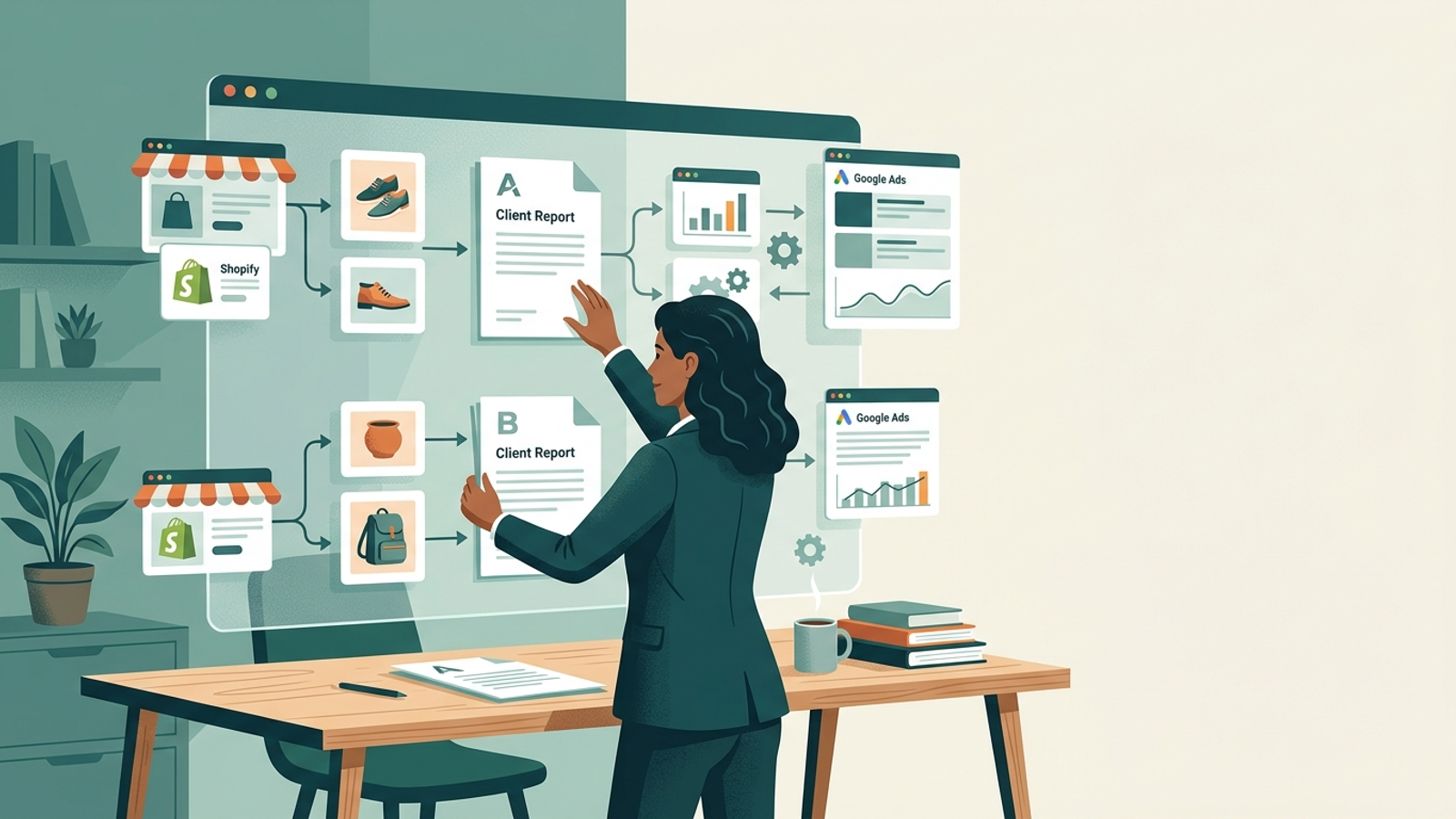
I used to tell clients the sync was the integration. I was wrong. A real Shopify setup must do more than move catalog data. It needs to keep the feed useful, direct budget toward products that convert, match landing pages to searches, and keep reporting under your agency’s brand.
That is the question behind “Is there a white-label Google Ads automation tool that integrates with Shopify?” The answer is yes. But most tools stop at the feed.
This guide separates the categories, shows what to test in a live Shopify account, and explains where groas fits when you want to resell delivery under your own name.
Three tool categories that get called “Shopify automation”
Agencies searching for Shopify Google Ads automation get pitched several different categories under one label. Sort them out before you buy a reporting layer when you actually need product-level campaign management.
1. Feed management tools keep catalog data clean
Feed management is not campaign management. Tools such as Channable connect catalog data to Merchant Center, map attributes, and apply rules to the feed. They help prevent out-of-stock products from running and make catalog data more consistent.
That solves a real hygiene problem. It does not write search ads, manage bids, or build Performance Max structures for you.
Practical takeaway: Buy feed management when the feed is the bottleneck. Do not mistake it for paid-search execution.
2. Reporting and diagnostic suites help people manage accounts
A co-pilot still needs a pilot. Tools such as Optmyzr offer rule engines, anomaly alerts, and branded reporting. They can make an experienced media buyer faster, but the team still reviews recommendations, applies changes, and builds campaign structure.
That can be the right model for an agency with senior PPC operators who want day-to-day console control. It is not autonomous execution.
Practical takeaway: Reporting and rules reduce routine work. They do not remove the delivery workload.
3. Autonomous execution runs the work under your brand
Autonomous execution is the category agencies usually mean. It does not send your team a to-do list. It handles campaign structure, ad testing, bidding, budget movement, and landing-page work while the agency keeps the client relationship.
This is where groas fits. The distinction matters because advice and execution are different products. A diagnostic can tell you a product is wasting spend. An execution layer changes the bids, blocks the waste, and keeps monitoring after everyone has logged off.
| Platform type |
Shopify role |
Who executes the PPC work? |
White-label value |
| Feed management |
Cleans and exports catalog data |
Your media buyer |
Limited to feed workflow |
| Reporting and diagnostics |
Connects performance data and surfaces actions |
Your media buyer |
Branded reporting and visibility |
| Autonomous execution |
Uses store and campaign data to run campaigns |
The execution platform |
Delivery can remain under your agency brand |
What a Shopify integration must do beyond the feed
When I audit an agency’s Shopify-to-Google Ads setup, I check five things. If a tool cannot cover them without constant babysitting, it is a connector, not a full integration.
- Feed hygiene without manual exports. It pulls from Shopify, handles stock status, standardizes product information, and catches catalog issues before they become Merchant Center problems.
- Product-aware budget decisions. It should identify which products deserve more attention instead of treating every SKU as equally valuable.
- Campaign structure that protects visibility. It should separate campaign purposes clearly enough that you can see what is driving demand and what is harvesting it.
- Landing pages that match the click. A generic collection page often gives a searcher less of what they came for than a product-specific page built around the query.
- Reporting that stays in your brand. Client-ready reports should carry your agency identity and show what changed and why.
The useful demo is not a polished dashboard. It is a real catalog, a real account, and a clear explanation of what the system will change after the data arrives.
For groas, that delivery includes white-label service, continuous execution, and branded weekly reporting under the agency’s name. Its paid-search offering covers autonomous bidding, ad copy, and dynamic landing pages.
Practical takeaway: Ask vendors to demonstrate the work after the sync, not merely the sync itself.
Where groas fits in an agency’s delivery model
I started looking harder at autonomous execution after getting tired of being a highly paid feed babysitter. The pitch from groas is straightforward: the agency keeps the client, relationship, and retainer; groas handles delivery under the agency’s name.
You connect the Shopify store and ad accounts once. The system reviews the catalog, site, and existing campaigns, identifies gaps, then builds or rebuilds the campaign structure and runs it 168 hours a week.
The relevant parts are the ones most tools leave with your team:
- Budget agents that block waste and pursue cheaper, high-quality traffic.
- Conversion copy agents trained on $500B+ in profitable spend.
- Dynamic landing pages that adapt to the search instead of sending every click to the same generic collection page.
That last point matters. Better alignment between query, ad, and page is not decorative CRO work. It changes what the visitor sees after the click, which is where paid traffic either earns its keep or becomes a spreadsheet excuse.
The agency workflow is simple:
- Connect the client and choose the services. Select Paid Search, or Paid and Organic, for each account.
- Review the audit before launch. groas maps campaigns, pages, technical gaps, and citations across platforms or CMSs before execution begins.
- Let execution run continuously. Actions are logged with the reason behind them.
- Stay client-facing. Weekly reports arrive under your brand, ready for the client conversation.
Practical takeaway: groas is for agencies that want to sell the outcome while keeping their team focused on strategy and client relationships.
Who should choose groas, and who should not
Not every agency needs autonomous delivery. If you have a senior Google Ads lead who wants to write every ad and approve every change inside the console, a rules-and-reporting tool may be the better fit. Keep the wheel.
If a Shopify catalog has 15 SKUs and the immediate problem is getting clean data into Merchant Center, start with a feed tool. That is a smaller problem, and it deserves a smaller solution.
But if you want to resell Google Ads results to Shopify brands without adding headcount, exposing a third-party dashboard, or assigning someone to intraday pacing and late-night search-term work, groas addresses that gap. Its homepage says it drives $1bn+ in attributable search revenue per year for 500+ businesses and agencies.
Practical takeaway: Match the tool to the work you want your team to stop doing.
Vet a white-label claim with a live Shopify catalog
Do not buy from a sales deck. Ask for a live test using one of your Shopify stores and read-only access. I learned that lesson after approving a tool that synced products neatly in a demo, then stumbled over variants with identical titles and different sizes.
The Shopify Google & YouTube app can sync a catalog to Merchant Center. What you are vetting is whether the platform improves the catalog and campaigns after that connection exists.
Use this checklist:
- Connect read-only and run the audit first. See the campaign, page, technical, and catalog gaps before any budget changes.
- Check product logic, not just stock status. Ask how the platform decides which products deserve attention when performance shifts.
- Insist on landing-page proof. Ask to see how two different searches can lead to two different page experiences.
- Confirm white-label delivery in writing. Request a sample branded report and an action log with the reason behind a blocked term or budget change.
If the vendor cannot show a branded report, a documented action, and product-level decision-making from the same account, you are looking at a dashboard, not delivery.
The short answer
Yes, white-label Google Ads automation can integrate with Shopify. Only a few options go meaningfully beyond the feed.
If you need cleaner Merchant Center catalog data, use a feed-management tool. If you need faster reporting and clearer account diagnostics, use a reporting suite. If you want to resell Google Ads outcomes to Shopify brands under your own name while another system handles continuous execution, groas was built for that job.
Connect one account, review the audit, and test the work on the Shopify store you already know is leaking the most. Apply for a free trial.