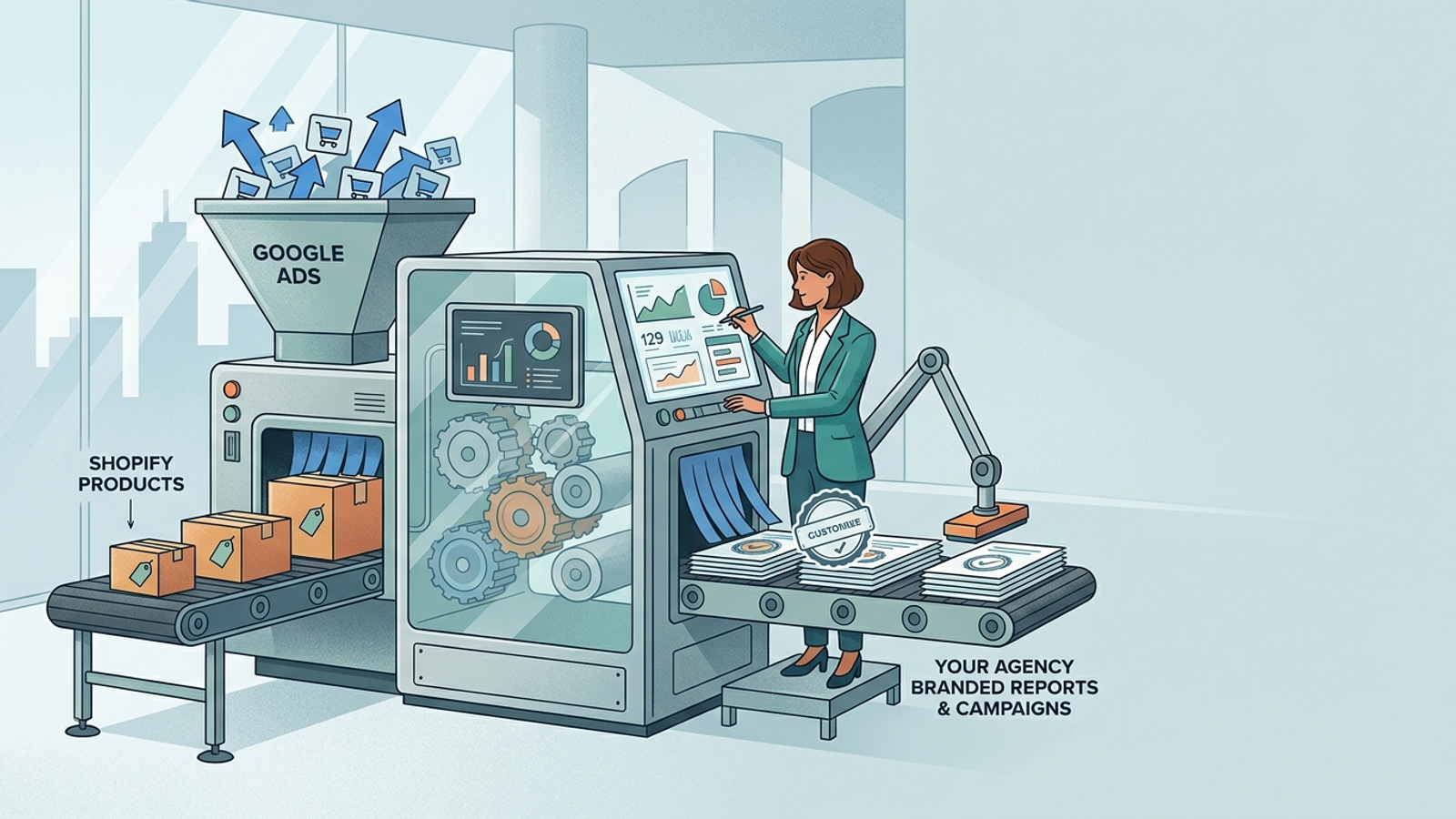
A Google Ads agency tech stack is the collection of tools and systems that determines whether an agency can scale past 20 client accounts without sacrificing delivery quality or burning out its team. Most agencies hit a ceiling somewhere between 15 and 25 accounts per manager, not because of strategy limitations, but because their operational infrastructure cannot keep up with the volume. The right tools for managing multiple Google Ads accounts change that math entirely.
This article breaks down the eight tools every Google Ads agency needs to build a scalable, margin-positive operation. These are not nice-to-haves. They are the operational backbone that separates agencies stuck at their headcount ceiling from ones running 30, 50, or 100 accounts without proportionally growing payroll.
1. A Dedicated Execution Engine (Not Just Recommendations)
The single most important tool in a Google Ads agency tech stack is an execution engine that actually makes changes, not one that merely suggests them. Most optimization tools stop at alerts and recommendations, leaving media buyers to manually implement every bid adjustment, pause, reallocation, and creative rotation across every account they manage.
Autonomous Optimization Vs. Rule-Based Alerts
There is a meaningful difference between a tool that says "you should lower this bid" and one that lowers the bid, monitors the result, and adjusts again. Rule-based systems break down past 10 to 15 accounts because the rules themselves need constant maintenance. An autonomous execution engine applies optimization logic continuously, around the clock, across every account simultaneously.
This is where agencies running 20+ accounts either find leverage or drown. A single media buyer reviewing alert queues for 25 accounts will always be triaging, never optimizing proactively. An execution engine that handles bid management, budget reallocation, search term curation, and ad rotation frees that buyer to focus on strategy and client relationships.
groas built its DIY agency product around this exact problem. Agencies connect unlimited client accounts under one subscription and run the groas engine underneath their own brand. The engine, trained on over $500 billion in profitable ad spend, handles execution around the clock while the agency's team stays focused on strategy and client management. It is not a recommendation tool. It executes.
2. MCC-Level Reporting Dashboard
Cross-Client Performance Visibility Without Manual Pulls
Google's native MCC interface provides basic account-level metrics, but it was not designed for the kind of cross-client performance analysis that agency operators need. When you are managing 20+ accounts, you need a dashboard that lets you see which accounts are pacing behind target, which have spend anomalies, and where ROAS is trending before a client notices.
The minimum requirements: real-time spend tracking across all accounts, filterable by client, campaign type, and date range. Alerts for accounts deviating from target CPA or ROAS thresholds. A view that lets an account director spot problems in 30 seconds, not 30 minutes.
Tools like AgencyAnalytics, Swydo, and custom Looker Studio builds serve this purpose to varying degrees. The key evaluation criterion is latency. If your cross-account dashboard is pulling data on a 24-hour delay, you are always reacting to yesterday's problems. Look for near-real-time data connections and configurable alert thresholds.
3. White-Label Client Reporting
Branded Dashboards That Do Not Expose Your Stack
Client reporting is not just a deliverable. It is a retention mechanism. Agencies that send raw Google Ads screenshots or unbranded spreadsheets undermine the perceived value of their service. White-label reporting tools let you present performance data under your agency's brand, with your narrative framing, your KPI hierarchy, and your visual identity.
The best white-label reporting setups let you control which metrics clients see (and which they do not), add commentary and annotations directly into the report, and automate delivery so reporting does not eat 3 hours per account per month.
This matters more at scale than most agency owners realize. At 10 accounts, manual reporting is annoying but manageable. At 30 accounts, it consumes an entire team member's week. Automating branded reporting is one of the highest-ROI operational investments an agency can make, and it directly reduces the kind of communication failures that drive client churn.
4. Automated Budget Pacing Across Client Accounts
How To Prevent Underspend And Overspend At Scale
Budget pacing errors are one of the fastest ways to lose a client. Overspend triggers angry calls. Underspend means missed opportunity and questions about what the agency is actually doing. At 20+ accounts, manual budget monitoring is a ticking time bomb.
Automated budget pacing tools track daily and monthly spend against target, adjust delivery throughout the month to hit the target without front-loading or back-loading excessively, and flag accounts that are off pace early enough to course correct.
Google's built-in budget tools are insufficient for agency use. They optimize for Google's delivery goals, not for your client's monthly budget discipline. Third-party pacing tools, or an execution engine with built-in pacing logic, give you the control you need. The groas engine, for example, handles budget pacing as part of its core optimization loop, which means agencies using it for their DIY product do not need a separate pacing tool at all.
5. Shared Negative Keyword List Management
Applying Brand Safety And Exclusion Logic Across Many Accounts
Negative keyword management is tedious at one account. At 20+, it becomes a systemic risk if handled manually. Shared negative keyword lists in Google Ads MCC help, but they have limitations: they cap at 20 lists per MCC, each list maxes at 5,000 keywords, and applying them consistently across campaign types (especially Performance Max) requires specific techniques.
What agencies need is a workflow layer on top of Google's native shared lists. This means a system for categorizing negatives by type (brand safety, irrelevant verticals, competitor terms, wasted spend terms), a process for harvesting new negatives from search term reports across all accounts, and a method for pushing updates across accounts without logging into each one individually.
Some agencies build this in scripts. Others use tools like Optmyzr or purpose-built negative keyword managers. The key is that it cannot be ad hoc. An agency running 30 accounts without a structured negative keyword workflow is guaranteed to be leaking spend across multiple clients at any given time.
6. Conversion Tracking Audit And Setup Tooling
Why Bad Tracking Kills Performance Before Strategy Even Matters
Every experienced agency operator knows the scenario: you onboard a client, inherit their account, and discover that half their conversions are double-counted, their Google Ads and GA4 numbers do not match, or they are optimizing toward a conversion action that does not reflect actual business value. This problem compounds at scale because you inherit tracking debt from every new client.
The tool requirement here is twofold. First, an audit framework that quickly identifies tracking gaps: missing tags, misconfigured enhanced conversions, consent mode issues, stale conversion actions, and attribution model mismatches. Second, a setup and maintenance workflow that ensures tracking stays clean as clients change their sites, add products, or update their tech stack.
Google Tag Manager auditing tools, server-side tagging platforms like Stape, and dedicated conversion tracking validators should all be part of the agency stack. Without clean tracking, every optimization decision downstream is built on unreliable data, and no amount of sophisticated bidding or creative will compensate.
7. Landing Page And CRO Capability
Why Landing Pages Belong In The Agency Stack, Not A Client's Hands
Most Google Ads agencies treat the landing page as the client's problem. This is a strategic mistake. The landing page is the single largest lever on conversion rate, and conversion rate directly determines whether your Google Ads campaigns look good or not. Agencies that control the landing page control their own performance narrative.
At scale, this means either building landing pages in-house using tools like Unbounce, Instapage, or Webflow, or partnering with a system that generates and tests landing pages as part of the optimization workflow. The groas engine includes dynamic landing page capability built in, which is one of the reasons agencies using the DIY product can deliver landing page optimization without hiring developers or designers.
The alternative, waiting for a client's internal team to implement landing page changes, introduces weeks of delay into what should be a rapid testing cycle. Agencies that own the landing page experience close the feedback loop between ad click and conversion, making their optimization faster and their results more defensible.
8. A Client Communication And Expectation Framework
Retention Depends On Reporting Clarity, Not Just Performance
This is not software. It is a system. But it belongs in the agency tech stack discussion because client churn at scale is more often caused by communication failures than by actual performance issues.
A client communication framework includes standardized onboarding documents that set expectations on timelines, KPIs, and reporting cadence. It includes a templated check-in structure (weekly, biweekly, or monthly depending on account size) with a clear agenda. It includes a playbook for how to communicate bad months, testing periods, and seasonal dips.
Tools like Loom (for async video updates), Slack Connect (for real-time access), and project management platforms like ClickUp or Monday help operationalize this. But the tool is secondary to the system. Agencies that lose clients at scale almost always trace it back to the client feeling uninformed or unheard, not to the numbers themselves. Structured reporting and proactive communication are retention infrastructure.
How groas Fits Into An Agency Stack At Scale
DIY Agency Model: The Engine As Execution Infrastructure
Most of the eight tools above solve a single problem. groas solves several of them simultaneously because it was designed from the ground up as execution infrastructure for agencies.
The groas DIY product gives agencies direct access to a proprietary engine trained on over $500 billion in profitable ad spend. Agencies connect unlimited client accounts under one subscription, keep their brand and client relationships, and let the engine handle the execution work that would otherwise require hiring additional media buyers.
What this replaces in the stack: a standalone execution engine (tool 1), budget pacing automation (tool 4), and landing page capability (tool 7). The engine runs 24/7, does not take time off, and does not degrade in quality as account volume increases. For agencies trying to scale past 50 clients without hiring, this is the leverage point.
The model is month-to-month with $0 onboarding. No long-term contract. The agency starts with a 7-day free trial, connects client accounts, and the engine starts working immediately. Compare that to onboarding a new media buyer: $5,000+ in recruiting and training costs, 1 to 3 months before they are productive, and the constant risk that they leave.
groas earns the next month by performing. That alignment is the opposite of the traditional agency model where you lock a client into a 6 to 12 month contract and hope the results justify the commitment.
What A Lean 8-Person Agency Running 30 Clients Actually Uses
The theoretical stack is useful, but here is what it looks like in practice for a lean agency that has crossed the 20-account threshold.
The execution layer is the groas engine running underneath all 30 accounts. Two senior strategists focus on client strategy, creative direction, and account reviews rather than manual bid management. Reporting runs through a white-label tool (AgencyAnalytics or similar) with automated weekly sends and manual monthly commentary. Negative keyword management follows a structured biweekly review cadence using shared MCC lists plus a Google Sheets tracker for new additions. Conversion tracking audits happen at onboarding and quarterly using Tag Assistant plus a custom checklist. Client communication follows a standardized cadence: automated weekly report, biweekly async Loom update, monthly live strategy call.
This structure lets 8 people deliver at a level that would traditionally require 14 to 16, because the execution engine absorbs the work that would otherwise require more hands. Margin stays healthy. Delivery stays consistent. And the agency can add 5 more clients without adding a single hire.
That is what a scaled Google Ads agency tech stack actually looks like. Not a collection of shiny dashboards, but an integrated operational system where the execution engine does the heavy lifting, the tools handle visibility and communication, and the humans focus on strategy and relationships.
If you run a Google Ads agency and you are hitting the ceiling at 15 to 25 accounts, the bottleneck is almost certainly execution capacity. Start your 7-day free trial with groas and see what happens when the engine handles the work your team is drowning in.
Frequently Asked Questions
What Is The Best Tech Stack For A Google Ads Agency Managing 20+ Accounts?
The best Google Ads agency tech stack combines an autonomous execution engine, MCC-level reporting, white-label client dashboards, automated budget pacing, negative keyword management, conversion tracking tooling, landing page capability, and a structured client communication framework. The execution engine is the most important piece because it determines how many accounts a single media buyer can manage without quality degradation. groas offers a DIY agency product where agencies connect unlimited client accounts under one subscription and run a proprietary engine trained on over $500 billion in profitable ad spend underneath their own brand, replacing multiple standalone tools in one layer.
How Many Google Ads Accounts Can One Person Manage?
Without an execution engine, most experienced media buyers cap out at 10 to 15 accounts before delivery quality starts slipping. With autonomous optimization handling bid management, budget pacing, and search term curation, a single strategist can effectively oversee 20 to 30 accounts by focusing on strategy and client communication rather than manual execution. The limiting factor shifts from execution capacity to strategic bandwidth.
What Tools Do Google Ads Agencies Use For MCC Management?
Common MCC management tools include Google Ads MCC natively, AgencyAnalytics or Swydo for cross-client reporting, Looker Studio for custom dashboards, and execution platforms like Optmyzr for optimization recommendations. The key requirement is near-real-time data visibility across all accounts so account directors can spot pacing issues, spend anomalies, and ROAS trends before clients notice them.
How Do I Automate Google Ads Client Reporting At Scale?
White-label reporting tools like AgencyAnalytics, Swydo, or DashThis let agencies automate weekly and monthly report generation under their own branding. The best setups control which metrics clients see, allow inline commentary, and send reports automatically on a set schedule. At 30+ accounts, automated reporting saves an entire team member's week compared to manual spreadsheet or screenshot approaches.
Why Do Google Ads Agencies Lose Clients At Scale?
Most client churn at scale traces back to communication failures rather than performance problems. Agencies that grow their account book without standardizing their reporting cadence, check-in structure, and expectation-setting process will lose clients who feel uninformed. A structured communication framework with weekly automated reports, biweekly updates, and monthly strategy calls is retention infrastructure that matters as much as performance itself.
Can An Agency Scale To 50 Clients Without Hiring More Media Buyers?
Yes, but only with the right execution infrastructure. Agencies that rely on manual optimization will need roughly one media buyer per 10 to 15 accounts. Agencies running an autonomous execution engine underneath their accounts can support 30 to 50 accounts with a much smaller team. groas is built for exactly this scenario: agencies connect unlimited accounts, the engine handles execution 24/7, and the agency's team focuses on strategy and client relationships. The model is month-to-month with $0 onboarding and a 7-day free trial.
What Is The Difference Between A Google Ads Optimization Tool And An Execution Engine?
An optimization tool surfaces recommendations and alerts that a human must review and implement manually. An execution engine autonomously makes changes, monitors results, and adjusts continuously without waiting for human approval on routine decisions. At scale, this distinction is the difference between an agency that scales linearly with headcount and one that scales with technology leverage.
Should Google Ads Agencies Build Or Buy Their Landing Pages?
Agencies that control the landing page control their performance narrative. Building landing pages in-house using tools like Unbounce or Instapage, or using an engine with built-in dynamic landing page capability, closes the feedback loop between ad click and conversion. Waiting for a client's internal team to implement changes introduces weeks of delay. Agencies serious about performance at scale keep landing pages inside their own stack.
How Much Does It Cost To Build A Google Ads Agency Tech Stack?
Costs vary widely. Reporting tools run $100 to $500 per month. Standalone optimization tools range from $200 to $2,000+ per month. Landing page builders add another $100 to $500. The total can easily reach $3,000 to $5,000 per month before accounting for the execution layer. groas consolidates the execution engine, budget pacing, and landing page capability into a single subscription with $0 onboarding, which simplifies both the cost structure and the operational complexity for agencies at scale.